A little while ago, I uploaded a video to YouTube about a trip to Hong Kong to sort out my travel permit. I used an Eason Chan song as background music, and to my surprise, YouTube immediately told me I was infringing copyright. Thinking about it, that was probably true. Copyright awareness is weak on Chinese media platforms; when I uploaded the same thing to sites such as Xiaohongshu, I received no warnings.
Recently, I wanted to upload more fragments of everyday life to YouTube, and background music became a real problem. With AI as a powerful tool at hand, I decided to make my own digital music—even though I had no grounding in music theory. In the end, I did it: I successfully created my first instrumental piece of my own.
SUNO AI
I had seen Suno AI promoted in Chinese WeChat articles some time ago, and had always assumed it worked very well. The piano piece I had been using while editing was Rain, which has a gentle, relaxing feel. I hoped to type in a prompt and have Suno's model produce a finished instrumental track. My prompt was roughly:
Slow, peaceful piano solo with gentle flowing melody, creating a calm and soothing atmosphere.
Unfortunately, after five or six attempts, I was still unhappy with the results. The AI-generated music felt flat to me, without either stirring emotion or a soothing quality. It sounded stiff. I also tried incorporating the characteristics of Rain, but after another four or five attempts, I gave up.
After talking to ChatGPT, my very capable assistant, I began to feel that making a piece of music might not be so difficult. I decided to use AI together with GarageBand on my Mac to create an instrumental track myself.
Crafting Song
It turned out to be fascinating. Music is, in essence, a combination of notes and the interplay of different instruments. Taking that a step further, these things can be described in code—and ChatGPT can write code. It told me it could use Python to generate the initial arrangement, which I could then drag into GarageBand to play and edit. A typical process looks like this:
# 1) Initialize the project
TEMPO ← 92                    # Tempo
BEATS_PER_BAR ← 4             # 4/4: four beats per bar
create MIDI with 1 track on channel 0
set_tempo(track=0, time=0, bpm=TEMPO)

# 2) Helper function: write one note to the track
function ADD_NOTE(pitch, start_beat, duration_beats, velocity):
    midi_add_note(track=0, channel=0, pitch, start_beat, duration_beats, velocity)

# 3) Chord progression: C → G → Am → F, using each chord's triad
CHORDS ← [
  ("C",  [C,  E,  G ] as MIDI),
  ("G",  [G,  B,  D ] as MIDI),
  ("Am", [A,  C,  E ] as MIDI),
  ("F",  [F,  A,  C ] as MIDI),
]

# 4) Left-hand accompaniment for each bar
#    Low root for one beat → two eighth notes (third and fifth)
#    → another root sustained for two beats
function LEFT_HAND(triad, bar_start):
    (root, third, fifth) ← triad
    ADD_NOTE(root-12,  bar_start + 0.0, 1.0, 55)   # Bass note
    ADD_NOTE(third-12, bar_start + 1.0, 0.5, 50)   # Arpeggio
    ADD_NOTE(fifth-12, bar_start + 1.5, 0.5, 50)
    ADD_NOTE(root-12,  bar_start + 2.0, 2.0, 52)   # Sustain through the second half

# 5) Right-hand melody for each bar
#    Choose an eight-note motif for the current chord and space it evenly
function RIGHT_HAND(chord_name, bar_start):
    MOTIF_MAP ← {
        "C":  [a sequence of eight eighth-note pitches],
        "G":  [a sequence of eight eighth-note pitches],
        "Am": [a sequence of eight eighth-note pitches],
        "F":  [a sequence of eight eighth-note pitches],
    }
    motif ← MOTIF_MAP[chord_name]
    for i in 0..7:
        pitch ← motif[i]
        start ← bar_start + i * 0.5       # Half a beat per step (an eighth note)
        ADD_NOTE(pitch, start, 0.5, 70)

# 6) Main loop: write N bars, approximately one minute
N_BARS ← 20
for bar_index in 0..N_BARS-1:
    (name, triad) ← CHORDS[bar_index mod 4]       # Repeat C → G → Am → F
    bar_start ← bar_index * BEATS_PER_BAR
    LEFT_HAND(triad, bar_start)
    RIGHT_HAND(name,  bar_start)

# 7) Export the MIDI file
write_midi_to("summer_style.mid")
print("Done")
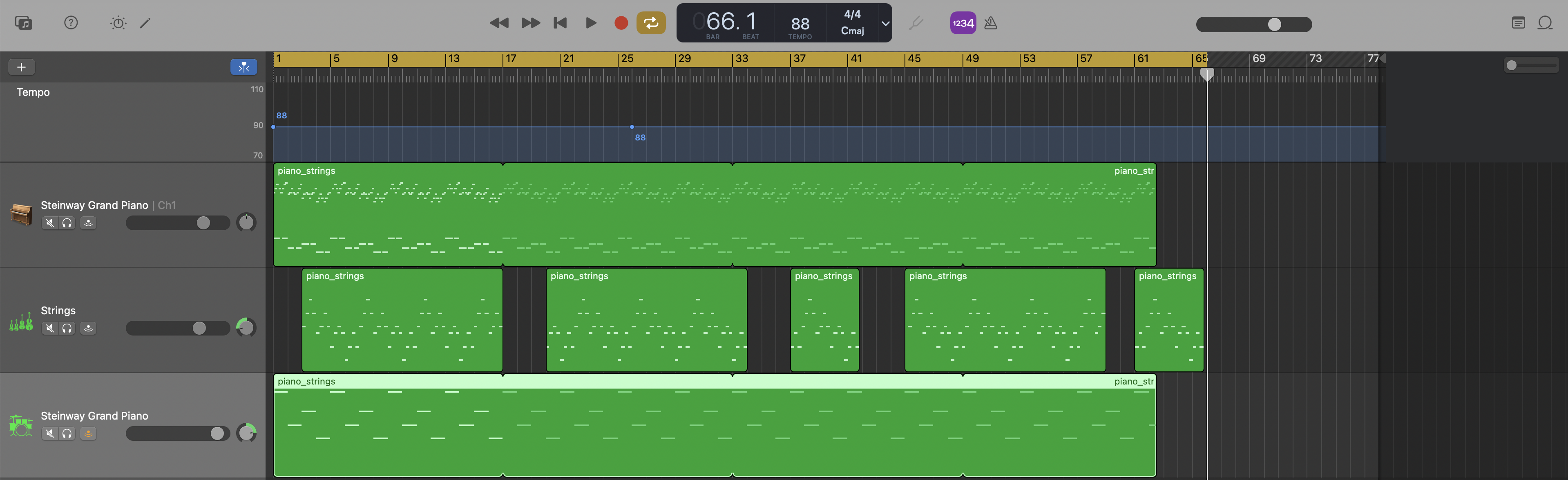
I asked ChatGPT to produce several versions directly: some closer to Rain, others more in the direction of Joe Hisaishi. At first, I did not understand GarageBand's various options and asked the model about screenshots several times. Eventually, I chose a version with three interwoven instruments. Although I was still unfamiliar with the app, I managed to assign the instruments to the different sections. The project looked roughly like this:
I listened many times, checking the pauses, tempo, and so on. It sounded reasonably good to me. Finally, I exported an audio file, which more or less completed the production process.
Of course, the piece was not yet what I had imagined. The rhythm was rather monotonous, and it lacked the tonal contrasts and musical flow I had hoped for. It was still far from my ideal; I would probably give it 30 or 40 out of 100. But I was happy to have made it through the entire process.
Shipping Song
I uploaded the edited video with my own background music to YouTube. After more than ten hours, only a handful of people had watched it, but that did not seem so important. I also uploaded the song to QQ Music and became a proud independent musician. You can now listen to my own song on QQ Music.
Oh, and if you do not like the piece, try listening a few more times. Maybe it will start to sound better. Ha! 🙂
Coda
This experience made a strong impression on me. In a future shaped by AI, the barriers between different fields will be much lower.
For example, I am a software engineer whose musical foundation is perhaps 5 out of 100. A music expert might score 80 or 90. But with AI, I can create something worth at least 30. That is still very elementary, of course. Yet if I go further and study the relevant knowledge—even with AI's help—I can learn to direct it better and produce work worth 60 or even 70.
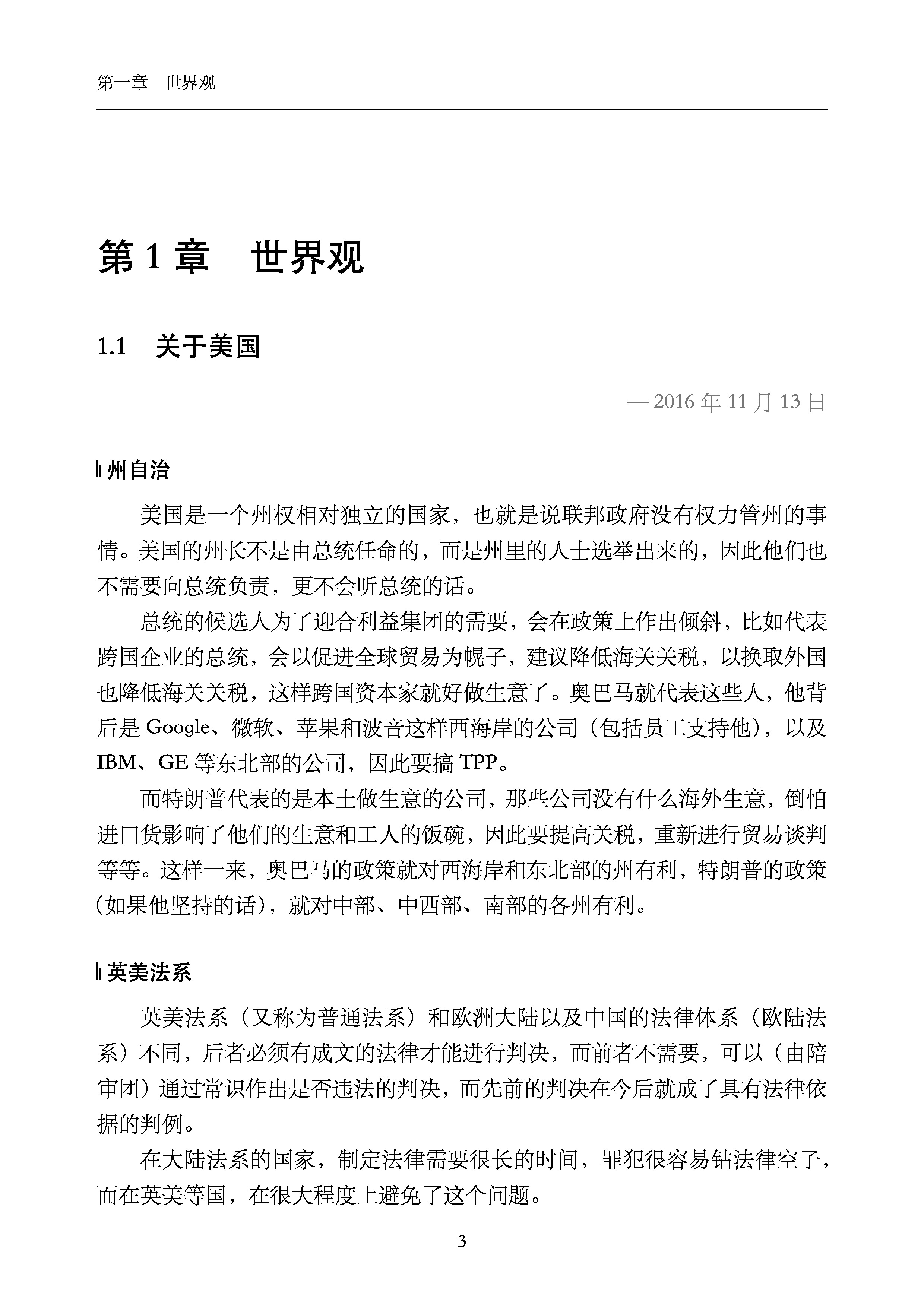
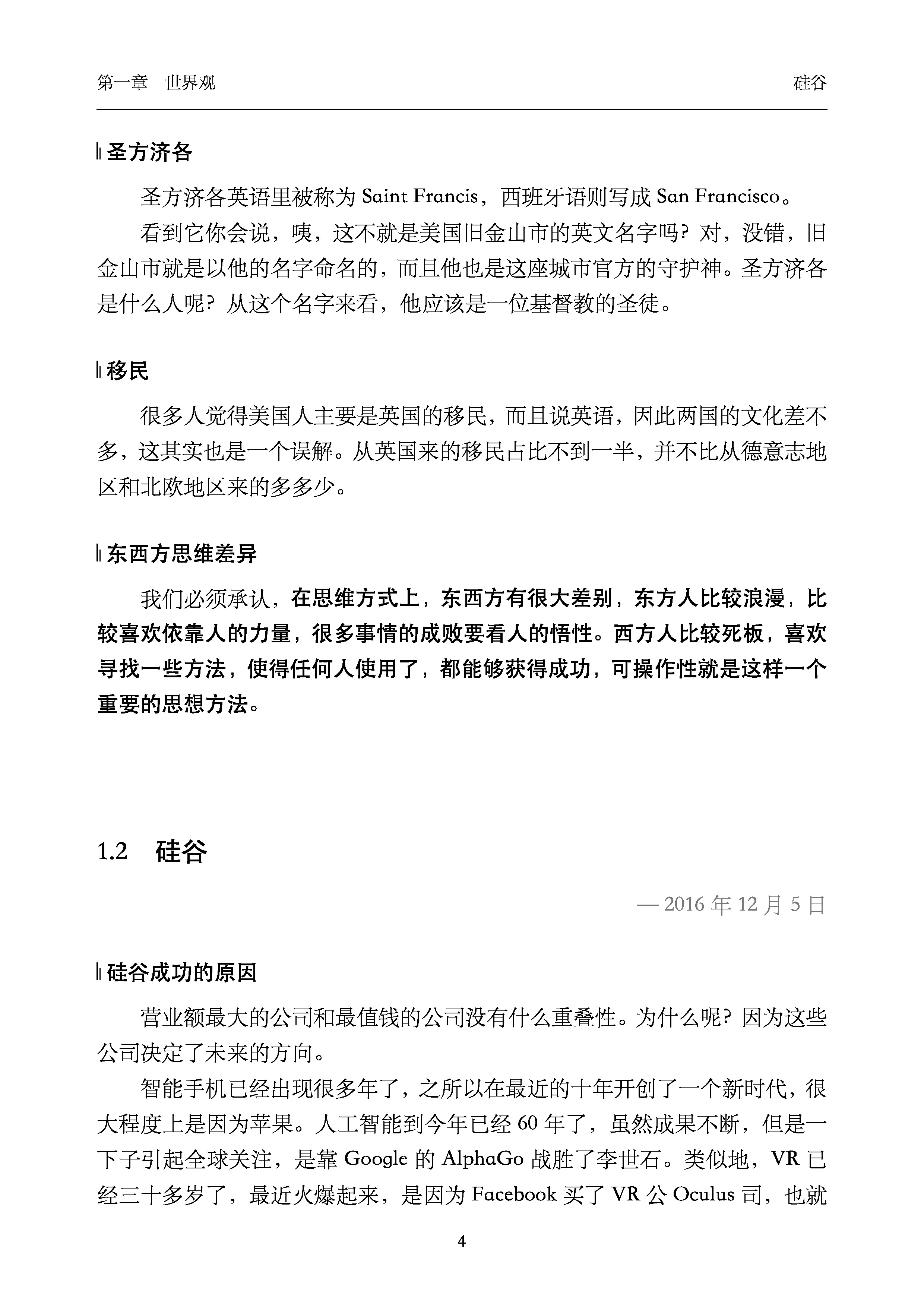
I have tried this in other areas too, and the same idea works in unfamiliar fields. Take making a book with LaTeX. My understanding of LaTeX is fairly shallow, but with AI, I can produce a book whose visual polish I would rate at 50 or 60. To be honest, I am not satisfied with some of the templates on Overleaf. The two pages below are excerpts from Dr. Wu Jun's Letters from Silicon Valley that I recently typeset in LaTeX for my own printed copy. As you can see, they look beautiful.
AI has brought enormous changes to my life, turning many things that once seemed impossible into possibilities. My horizons have widened. I feel capable of taking on little projects that I previously would not have dared to try, or whose barriers seemed too high. I believe the future belongs to people who make good use of AI to express their creativity, improve efficiency, provide services, and even entertain themselves. Of course, understanding the fundamentals is still indispensable. Before doing anything, we need to establish how the system works. Only then can we ask how to make it work better.